臭鱼烂虾养成记之手搓tds传感器
壹
发现一个TDS传感器模块,esphome上没有现成的组件,看他数据手册,串口的,写的挺明确,正好就给鱼缸的臭鱼烂虾加个传感器,免得出事
贰
对着洞洞板一顿焊接,东西出来了,
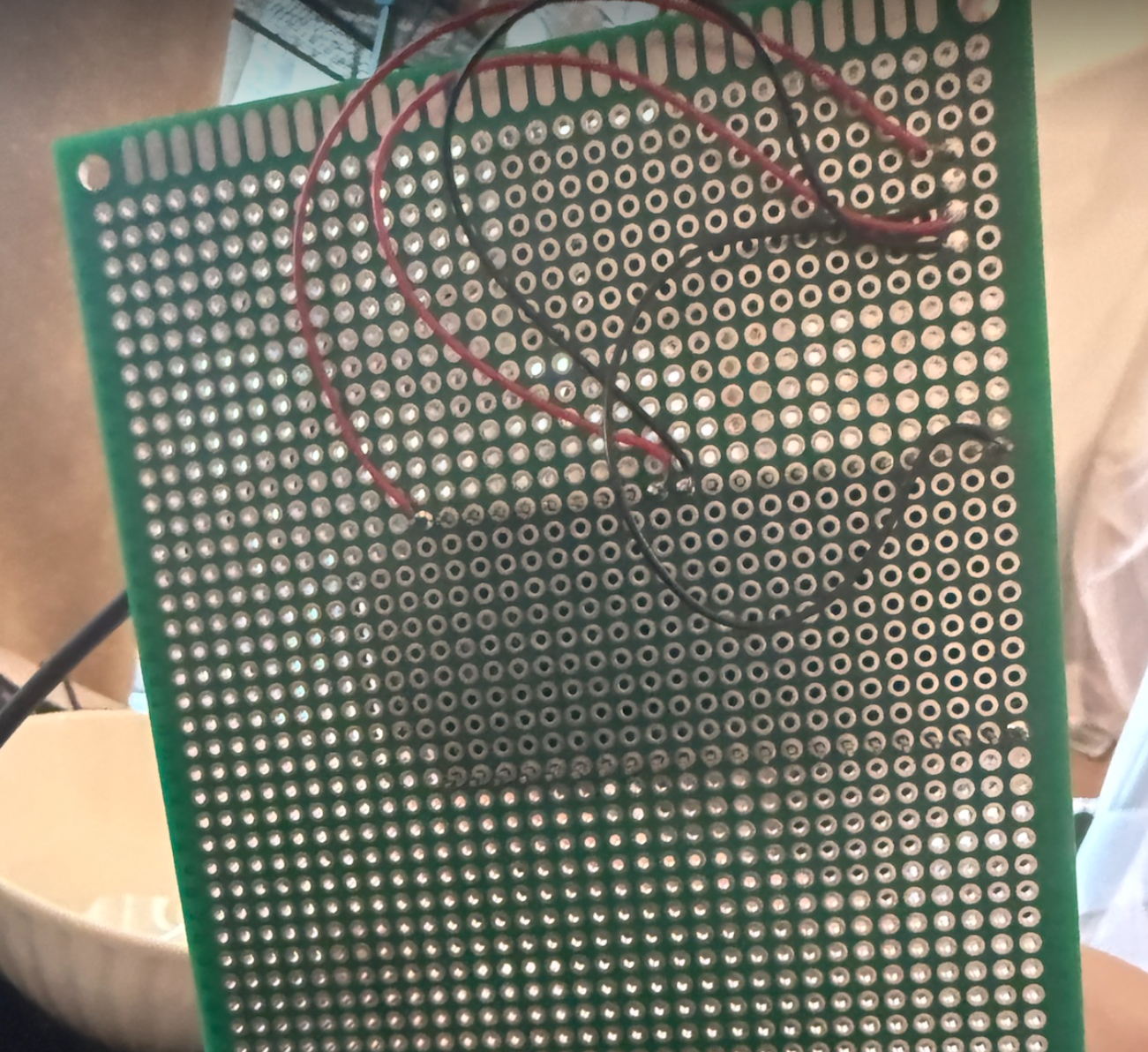
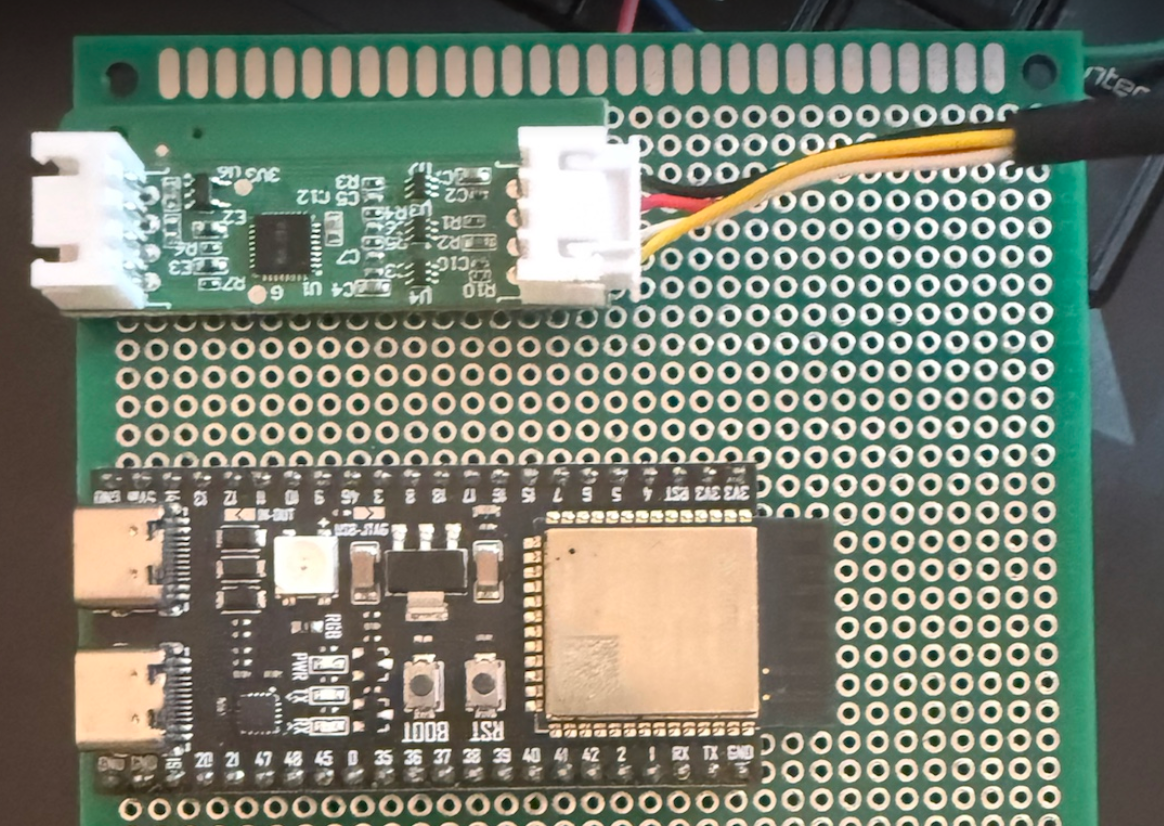
yaml一顿写:
  1
  2
  3
  4
  5
  6
  7
  8
  9
 10
 11
 12
 13
 14
 15
 16
 17
 18
 19
 20
 21
 22
 23
 24
 25
 26
 27
 28
 29
 30
 31
 32
 33
 34
 35
 36
 37
 38
 39
 40
 41
 42
 43
 44
 45
 46
 47
 48
 49
 50
 51
 52
 53
 54
 55
 56
 57
 58
 59
 60
 61
 62
 63
 64
 65
 66
 67
 68
 69
 70
 71
 72
 73
 74
 75
 76
 77
 78
 79
 80
 81
 82
 83
 84
 85
 86
 87
 88
 89
 90
 91
 92
 93
 94
 95
 96
 97
 98
 99
100
101
102
103
104
105
106
107
108
109
110
111
112
113
114
115
116
117
118
119
120
121
122
123
124
125
126
127
128
129
130
131
132
133
134
135
136
137
138
139
140
141
142
143
144
145
146
147
148
149
150
151
152
153
154
155
156
157
158
159
160
161
162
163
164
165
166
167
168
169
170
171
172
173
174
175
176
177
178
179
180
181
182
183
184
185
186
187
188
189
190
191
192
193
194
195
196
197
198
199
200
201
202
203
204
205
206
207
208
209
210
211
212
213
214
215
216
| substitutions:
name: "tds-sensor"
location: "客厅" #放置位置
esphome:
name: "${name}"
name_add_mac_suffix: true
friendly_name: "${location}tds传感器"
comment: "tds-sensor"
project:
name: synodriver.tds-sensor
version: "0.0.1"
preferences:
flash_write_interval: 10min
esp32:
board: esp32-s3-devkitc-1
flash_size: 8MB
cpu_frequency: 240MHz
framework:
type: esp-idf
advanced:
execute_from_psram: true
psram:
mode: quad
speed: 80MHz
# Enable logging
logger:
level: DEBUG
# Enable Home Assistant API
api:
actions:
- action: twice_calibrate
variables:
salinity: float
then:
- bax.twice_calibrate:
id: bax_
salinity: !lambda "return salinity;"
on_client_connected:
- logger.log:
format: "Client %s connected to API with IP %s"
args: ["client_info.c_str()", "client_address.c_str()"]
ota:
- platform: esphome
wifi:
ssid: !secret wifi_ssid
password: !secret wifi_password
# Enable fallback hotspot (captive portal) in case wifi connection fails
ap:
password: ""
#use_address: 192.168.5.240
captive_portal:
web_server:
port: 80
external_components:
# 这是我的本地组件,你们用下面的
# - source:
# type: local
# path: components
- source:
type: git
url: https://github.com/ha-china/esphome_external_componnets
ref: main
components: ["bax"] # 指定要加载的组件,或 "all"
refresh: 1h # Git 仓库刷新间隔(默认1天)
uart:
id: uart_bus
tx_pin: 17
rx_pin: 18
baud_rate: 9600
stop_bits: 1
bax:
id: bax_
uart_id: uart_bus
type: BA234
update_interval: 10s
debug:
update_interval: 5s
sensor:
- platform: bax
bax_id: bax_
tds:
name: "TDS"
ec:
name: "EC"
salinity:
name: "salinity"
specific_gravity:
name: "specific_gravity"
temperature:
name: "temperature"
hardness:
name: "hardness"
- platform: wifi_signal # Reports the WiFi signal strength/RSSI in dB
name: "${name} WiFi Signal dB"
id: wifi_signal_db
update_interval: 60s
entity_category: "diagnostic"
- platform: copy # Reports the WiFi signal strength in %
source_id: wifi_signal_db
name: "${name} WiFi Signal Percent"
filters:
- lambda: return min(max(2 * (x + 100.0), 0.0), 100.0);
unit_of_measurement: "%"
entity_category: "diagnostic"
- platform: debug
free:
name: "Heap Free"
block:
name: "Heap Max Block"
loop_time:
name: "Loop Time"
cpu_frequency:
name: "CPU Frequency"
psram:
name: "Free PSRAM"
- platform: internal_temperature
name: "Internal Temperature"
time:
- platform: sntp
id: my_time
switch:
- platform: restart
name: "${name} controller Restart"
- platform: factory_reset
name: Restart with Factory Default Settings
disabled_by_default: true
text_sensor:
- platform: wifi_info
ip_address:
name: ${name} IP Address
ssid:
name: ${name} Connected SSID
bssid:
name: ${name} Connected BSSID
mac_address:
name: ${name} Mac Wifi Address
# scan_results:
# name: ${name} Latest Scan Results
dns_address:
name: ${name} DNS Address
- platform: version
name: "ESPHome Version"
- platform: debug
device:
name: "device info"
reset_reason:
name: "reset reason"
button:
- platform: bax
bax_id: bax_
zero_point_calibrate:
name: "zeropoint-baseline calibrate"
# 下面这些也可以写到api里面,做成service,可惜的是这是其他型号的,BA234不支持这些功能
# - platform: template
# name: "calibrate"
# on_press:
# then:
# - bax.zero_point_calibrate:
# id: bax_
# - platform: template
# name: "twice_calibrate"
# on_press:
# then:
# - bax.twice_calibrate:
# id: bax_
# salinity: !lambda "return 5;"
# - platform: template
# name: "set_ntc_resistance"
# on_press:
# then:
# - bax.set_ntc_resistance:
# id: bax_
# resistance: !lambda "return 10000;"
# - platform: template
# name: "set_ntc_b_value"
# on_press:
# then:
# - bax.set_ntc_b_value:
# id: bax_
# b: !lambda "return 3850;"
# 秘籍:炫酷浴缸灯,没有的就不加
light:
- platform: esp32_rmt_led_strip
rgb_order: GRB
pin: 48
num_leds: 1
chipset: ws2812
name: "status led"
|
刷机开机,有数据了
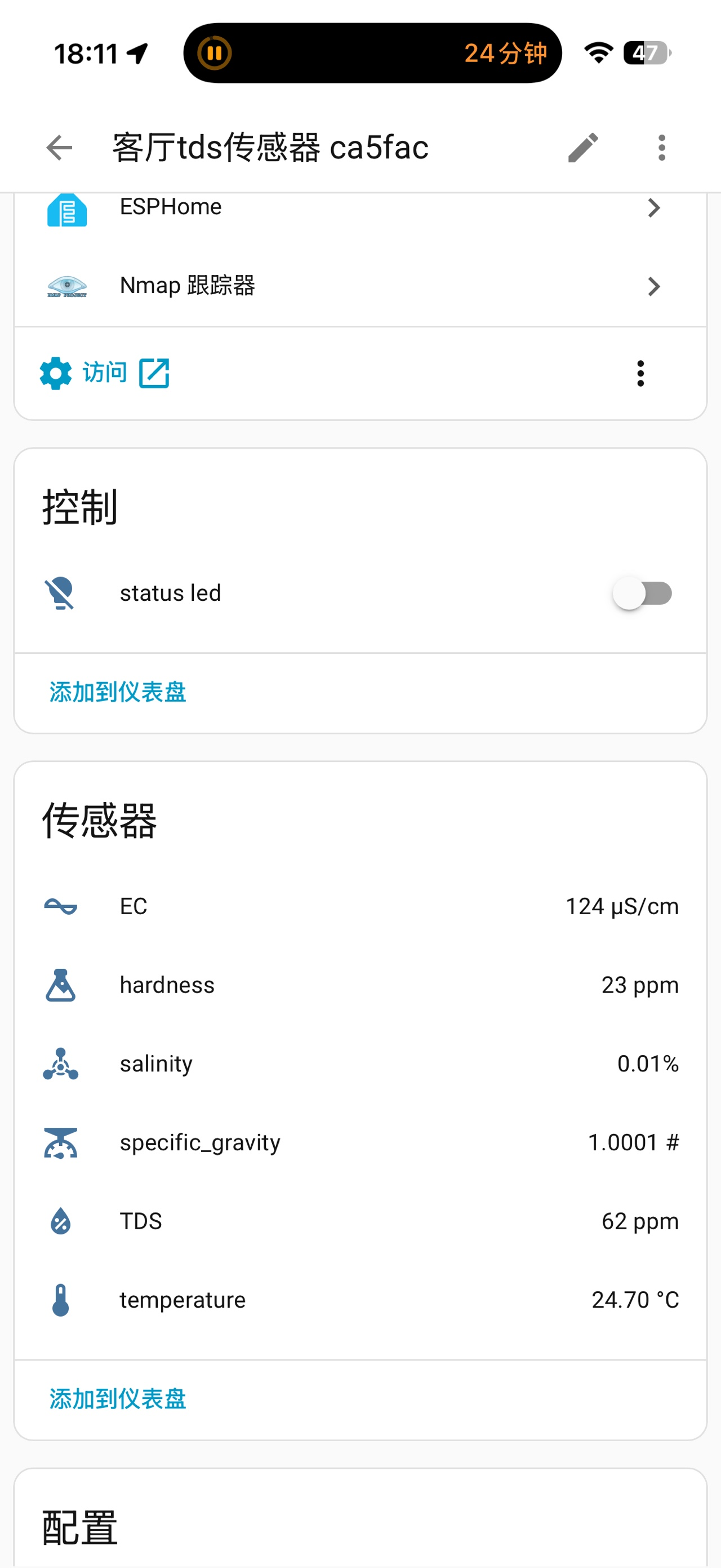
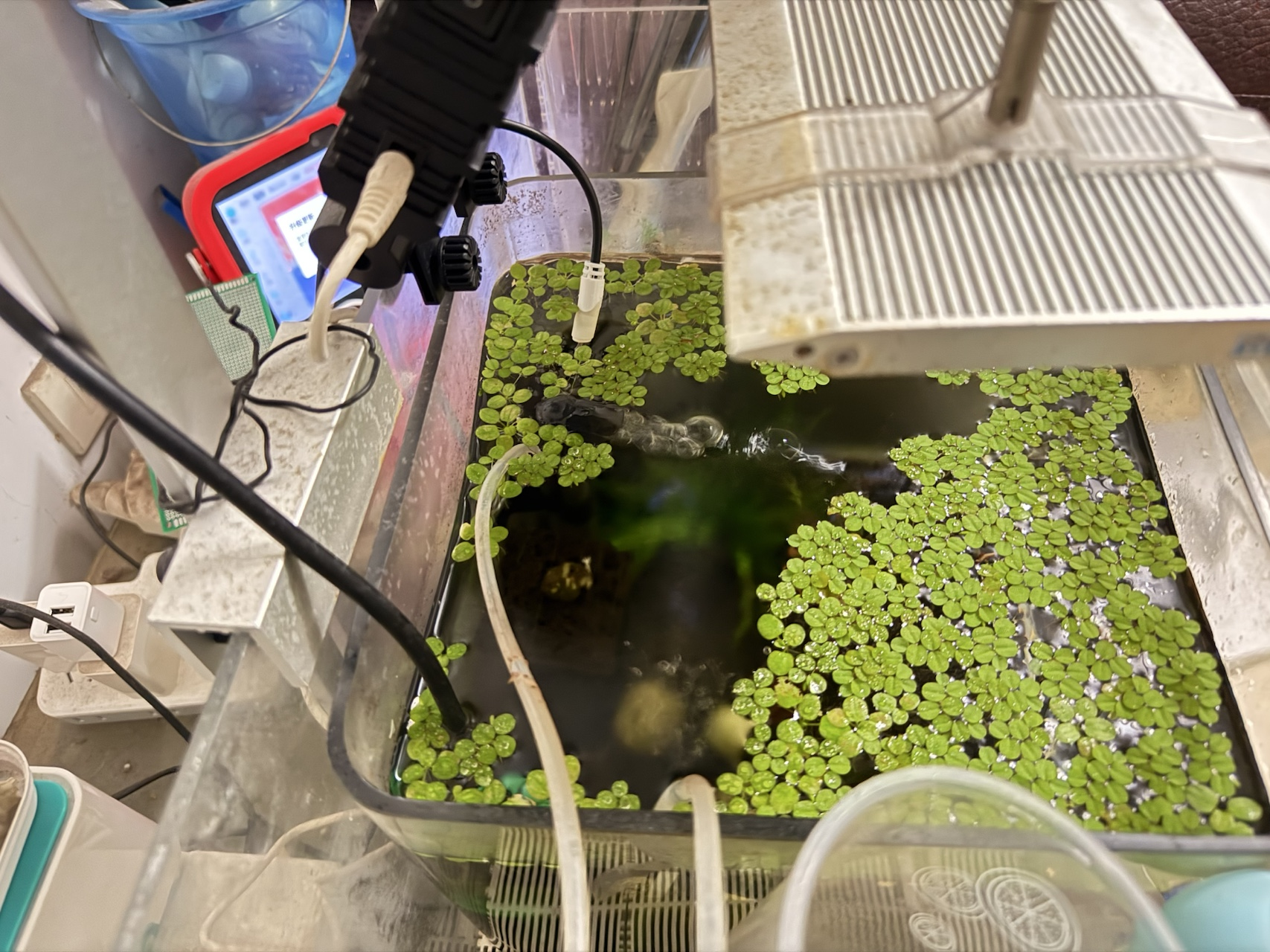
配置说明
bax 组件是用于atombit系列水质检测芯片(BA012 / BA022 / BA111 / BA121 / BA234 / BA311 / BAT3U)的ESPHome external component
安装
通过 external_components 拉取即可,无需手动 clone:
1
2
3
4
5
6
7
| external_components:
- source:
type: git
url: https://github.com/ha-china/esphome_external_componnets
ref: main
components: ["bax"]
refresh: 1h
|
- 也可以用本地路径开发:把
source.type 改成 local,path 指向放 bax 目录的文件夹。组件本身 MULTI_CONF = true,所以你可以在一台设备上挂多个 bax 实例(接多路传感器)。
基础组件 bax
bax 是一个 PollingComponent,每个 update_interval 周期主动向传感器发送一次测量指令(BA311 除外,它自动上传),随后在 loop() 里解析串口返回的帧。
 1
 2
 3
 4
 5
 6
 7
 8
 9
10
11
12
13
| # 必须先定义一路 uart
uart:
id: uart_bus
tx_pin: 17
rx_pin: 18
baud_rate: 9600
stop_bits: 1
bax:
id: bax_
uart_id: uart_bus
type: BA234
update_interval: 10s
|
配置变量
- id(必填,ID):组件实例 id,供 sensor / button / automation 引用。
- type(必填,枚举):芯片型号。可选
BA012、BA022、BA111、BA121、BA234、BA311、BAT3U。 - uart_id(选填,ID):挂到哪一路 uart,多路 uart 时必填。
- update_interval(选填,时间,默认
20s):主动测量间隔。BA311 会忽略此值(自动上传)。 - note: UART 要求 : 组件在编译期会校验 uart 配置:必须同时配置
tx_pin 与 rx_pin,波特率 9600,stop_bits: 1,无校验位。
各型号支持的测量量
不同芯片返回的帧格式不同,能解析出的传感器也不一样,✅ 表示该型号会发布对应数据:
| 传感器 | BA012 | BA022 | BA111 | BA121 | BA234 | BA311 | BAT3U |
|---|
tds | ✅ | | ✅ | | ✅ | ✅ | ✅ |
tds2 | ✅ | | | | | | ✅ |
tds3 | | | | | | | ✅ |
ec | | ✅ | | ✅ | ✅ | | |
ec2 | | ✅ | | | | | |
salinity | | | | | ✅ | | |
specific_gravity | | | | | ✅ | | |
temperature | ✅ | ✅ | ✅ | ✅ | ✅ | | ✅ |
temperature2 | ✅ | ✅ | | | | | ✅ |
temperature3 | | | | | | | ✅ |
hardness | | | | | ✅ | | |
传感器平台 sensor.bax
sensor.bax 负责把 bax 解析出来的数值发布成 Home Assistant 传感器。所有子项都是选填,按你的芯片支持情况挑着配;配了但芯片不返回的那个不会出值(也不会报错)。
 1
 2
 3
 4
 5
 6
 7
 8
 9
10
11
12
13
14
15
| sensor:
- platform: bax
bax_id: bax_
tds:
name: "TDS"
ec:
name: "EC"
salinity:
name: "salinity"
specific_gravity:
name: "specific_gravity"
temperature:
name: "temperature"
hardness:
name: "hardness"
|
配置变量
- bax_id(必填,ID):指向对应的
bax 组件实例。 - tds / tds2 / tds3(选填):TDS 值,单位
ppm,图标水滴。 - ec / ec2(选填):电导率,单位
µS/cm,图标交流电。 - salinity(选填):盐度,单位
%,两位小数。 - specific_gravity(选填):比重,单位
#,四位小数。 - temperature / temperature2 / temperature3(选填):温度,单位
°C,设备类 temperature。 - hardness(选填):硬度,单位
ppm,图标烧瓶。
每项下面都可以再写标准传感器字段(name、id、unit_of_measurement、accuracy_decimals、icon、device_class、state_class、filters 等),默认值已按上表设好,通常只写 name 就够。
提供一个零点(基线)校准按钮,按下后通过 uart 给传感器发校准指令。
1
2
3
4
5
| button:
- platform: bax
bax_id: bax_
zero_point_calibrate:
name: "zeropoint-baseline calibrate"
|
配置变量
- bax_id(必填,ID):指向对应的
bax 组件实例。 - zero_point_calibrate(选填):零点校准按钮。设备类
restart,归类到 config。
warning 型号差异
零点校准指令按型号分两种:BA234 用 0xA1,其余(BA012/BA022/BA111/BA121/BAT3U)用 0xA6 基线校准,BA311 不支持校准。所以校准按钮只对除 BA311 外的型号有意义。
自动化动作
除了按钮,组件还注册了几个 automation.Action,可以在 on_press、api.actions、lambda 等任意 automation 上下文里调用。
bax.zero_point_calibrate
触发一次零点校准,等价于上面的按钮。
1
2
3
4
| on_press:
then:
- bax.zero_point_calibrate:
id: bax_
|
也可以用简写形式 - bax.zero_point_calibrate: bax_。
bax.twice_calibrate
两点校准。salinity 是校准用的标准液盐度,以百分数输入(4% 浓度就填 4.0),支持 lambda。
1
2
3
| - bax.twice_calibrate:
id: bax_
salinity: !lambda "return salinity;"
|
warning 仅 BA234 支持,其它型号调用会被忽略。
bax.set_ntc_resistance
设置 NTC 热敏电阻阻值(uint32_t,单位 Ω),用于温度补偿标定。支持 BA012/BA022/BA111/BA121/BAT3U,BA234 与 BA311 不支持。
1
2
3
| - bax.set_ntc_resistance:
id: bax_
resistance: !lambda "return 10000;"
|
bax.set_ntc_b_value
设置 NTC 的 B 值(uint16_t),同样用于温度补偿标定,支持的型号同上。
1
2
3
| - bax.set_ntc_b_value:
id: bax_
b: !lambda "return 3850;"
|
排错
- 日志里反复
CRC mismatch:多半是接线不稳或波特率不对,组件对每帧都做累加和 / CRC-8 校验,校验失败会整帧丢弃。确认 baud_rate: 9600、stop_bits: 1、TX/RX 没接反。 - 传感器一直没值:先对照上面的型号支持表,确认你配的传感器项该型号确实会返回;再把
logger.level 调到 DEBUG 看 bax: 组件的 dump_config 输出和原始帧。 - 校准点了没反应:检查型号是否支持对应校准动作(两点校准仅 BA234,NTC 设置排除 BA234/BA311,零点校准排除 BA311)。
See Also